
IPTV Player Guide
IBO Player IPTV Setup Guide 2026: Activation, Playlist Login and Smart TV Checks
Set up IBO Player on a compatible Smart TV in 2026. Learn the MAC/device-key workflow, playlist login, activation checks, trial limits and troubleshooting.
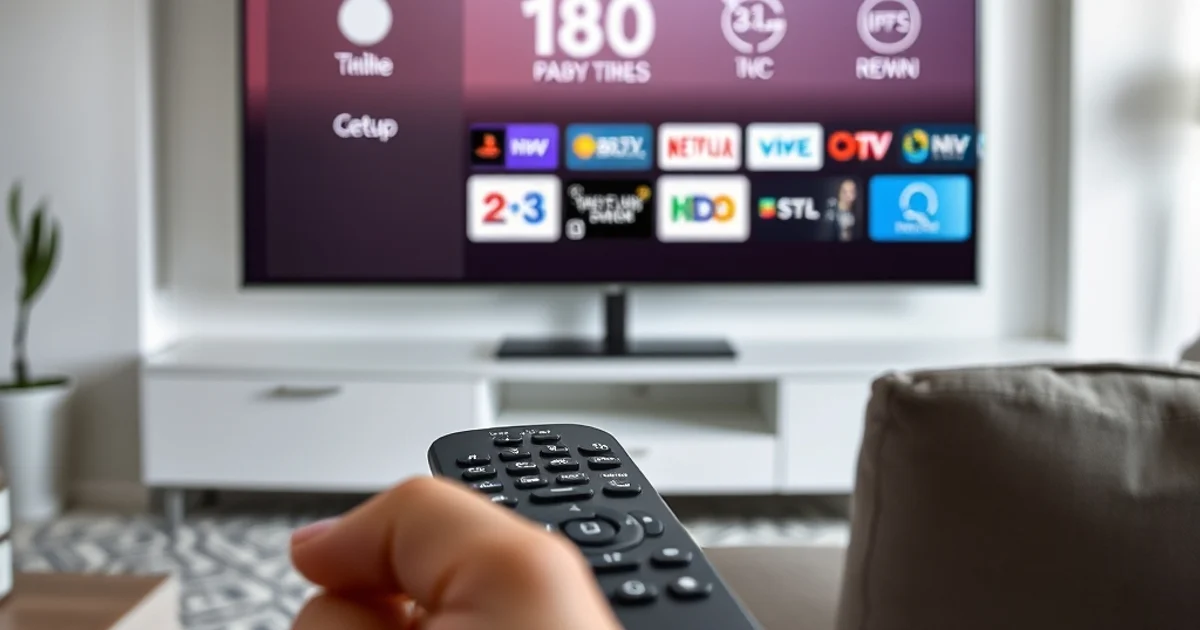
What IBO Player Is — and What It Is Not
IBO Player is a media-player application. Its own licensing site states that the player does not sell playlists, subscriptions or channels, which is the most important distinction to understand before setup. The player is the interface on the television; your separate service supplies the access details that the player loads. Keeping those two roles separate prevents a common support mistake: paying for a player license and assuming that payment also activates a television service.
The official IBO licensing pages currently describe a seven-day app trial before a player license is required. Treat that trial as an app-compatibility test, separately from a paid service subscription. During those seven days, check whether the player launches reliably on your television, whether the remote navigation feels comfortable, whether your login format can be added, and whether the app remains responsive after the TV is restarted.
Keep player licensing and service ordering separate. Confirm IBO Player availability for your TV and region, then confirm service compatibility and plan terms on the subscription page. An app evaluation period does not supply a TellyStudio account.
Check Smart TV Compatibility Before You Enter Any Details
Smart TV app availability is not universal. A television brand can use different operating-system generations, and an app that appears in one country or model year may be absent in another. Search the TV's own app store first rather than relying on a screenshot from another household. If the exact IBO app you intend to use is not listed, do not sideload unknown packages onto a television that was not designed for them; use a supported player or an external streaming device instead.
Before installation, record the TV brand, exact model, country/region setting and operating-system version if the menu exposes it. These details make support much more useful than a message that only says 'Smart TV'. The Smart TV buying guide explains why app-store compatibility should be checked before choosing a long subscription term.
Also confirm how the television connects to the router. Ethernet is useful when the TV is far from the access point, while strong Wi-Fi can be perfectly adequate when signal quality is stable. The first setup should be done under the same network conditions you expect to use every day so the result reflects the real household environment.
Compatibility checklist
Confirm the exact app name in the television's own store, verify the TV model and region, update the TV software, check free storage, and keep the service login details on a second device. If any of those items is uncertain, resolve it before purchasing the player license.
Understand the Device MAC and Device Key Workflow
IBO's playlist-management page uses a device login based on the identifiers shown by the application, including a device MAC address and device key. Those identifiers are used to manage the player profile; they are not the same thing as the username and password from an IPTV service. Copy them exactly as displayed inside the app and avoid posting screenshots of them in public groups.
The safe workflow is simple: open the app on the TV, note the device identifiers it provides, use the official IBO playlist-management or activation site, and then add the playlist information supplied by your service. The IBO store also exposes an Xtream-style playlist form with host, username and password fields. That means the player-management side and the service-login side remain separate even when they are entered during the same setup session.
If the app displays a MAC but no device key, or the official management page behaves differently from a guide you found online, follow the current instructions shown by the app and official IBO site. Interfaces change. Do not invent a key, reuse a key from another TV, or send someone else's device identifiers to support.
Choose the Correct Playlist or Login Format
A player can only load information correctly when the input format matches the fields it expects. Some setups use a host/server plus username and password; others use a full playlist URL. If your service sends both formats, choose the one that best matches the official form in the version of IBO Player you installed. Do not paste a full M3U URL into a username field or split a server URL incorrectly.
For users who are unsure what the formats mean, the M3U vs Xtream Codes guide explains the difference without treating one as universally superior. The important point is consistency: use one verified set of details, enter it once, and wait for the player to finish syncing before repeatedly editing the profile.
Keep credentials private. Playlist URLs and service usernames can grant access to an account and should not be posted publicly. If you need help, send the minimum necessary information through the official support channel and remove sensitive details from screenshots whenever possible.
Use the Seven-Day Player Trial as a Real Decision Window
The player trial is valuable because it lets you test the interface before paying for the app license. Use the period deliberately. Reopen the app over several days, test the remote from normal viewing distance, confirm that favorites or guide data behave as expected when supported, and restart the television at least once. A player that only works during the first setup but becomes awkward after a restart is not a good fit even if the initial login succeeded.
Do not confuse the IBO player license with TellyStudio plan pricing. They are separate purchases with separate terms. The official IBO license store publishes its own current license options, while TellyStudio's subscription page covers the streaming-service plan. Check both before paying so the total setup cost is clear.
If your TV does not run IBO Player well, changing the subscription will not fix a player-specific interface problem. Test another compatible player first. Conversely, if several players show the same network or account issue, focus on the service details and connection rather than buying additional player licenses.
IBO Player Troubleshooting: Diagnose the Layer That Failed
If the official device-management page rejects the MAC or device key, re-read the identifiers directly from the television and check for common character mistakes. If the device login succeeds but the playlist does not load, review the playlist or Xtream-style fields separately. A successful device login proves the player profile is recognized; it does not prove that the service credentials are correct.
If categories load but playback is unstable, test the same service on a second compatible device or player before changing everything. That comparison separates a TV/app problem from a network or service problem. Restart the router, test the TV closer to the access point where practical, and avoid downloading large files during the test. The IPTV app troubleshooting guide gives a broader diagnostic sequence.
If the app disappears from the store after a TV reset or region change, check the TV's current region and store availability rather than installing software from an unknown website. App catalogs change by model and country. A supported alternative player is safer than forcing an unsupported installation path.
Three-layer test
Player layer: does IBO Player open and accept its device login? Account layer: do the supplied playlist credentials load? Network layer: can the TV sustain playback under normal conditions? Test those layers separately and support becomes much faster.
When IBO Player Is a Sensible Choice
IBO Player is a sensible option when the exact app is available on your Smart TV, the seven-day trial confirms stable behavior, the remote interface suits the household, and your service login format can be added cleanly. It is less attractive when the app is not officially available for the TV model, when the television is too old to run modern players smoothly, or when another supported player already works well and there is no practical reason to change.
For a new household, test one screen first. Confirm the player, network and subscription separately, then decide whether another device needs the same app. If multiple screens are involved, read the multi-device setup guide and confirm the subscription's simultaneous-use rules before assuming that one login means unlimited concurrent playback.
A good setup decision is not about finding the app with the biggest feature list. It is about choosing a player that your television supports, understanding the separate license, keeping credentials secure and verifying the real viewing environment before committing to a longer plan.
FAQ
Does IBO Player include IPTV channels or a subscription?+
No. IBO's official licensing site describes IBO Player as a media player and states that it does not sell playlists, subscriptions or channels. A separate service supplies the access details.
How long is the IBO Player trial?+
The current official IBO license pages describe a seven-day app trial. Check the app and official store for the current terms before purchasing a license.
What are the device MAC and device key used for?+
They identify the IBO Player installation for device login and playlist management. They are separate from the username and password supplied by an IPTV service.
Should I post my MAC, device key or playlist URL publicly?+
No. Treat device identifiers and especially service credentials or playlist URLs as private account information.
What if IBO Player is not available on my TV?+
Check the official app store for your exact model and region. If the app is unavailable, choose another supported player or a compatible external streaming device rather than using unknown download sources.
Test the TV, Player and Service Separately
Confirm that IBO Player is officially available for your TV, use the player trial to test the interface, then confirm the service login format and plan terms with support before ordering.